
Digestion
In which we build a bot that builds a bot

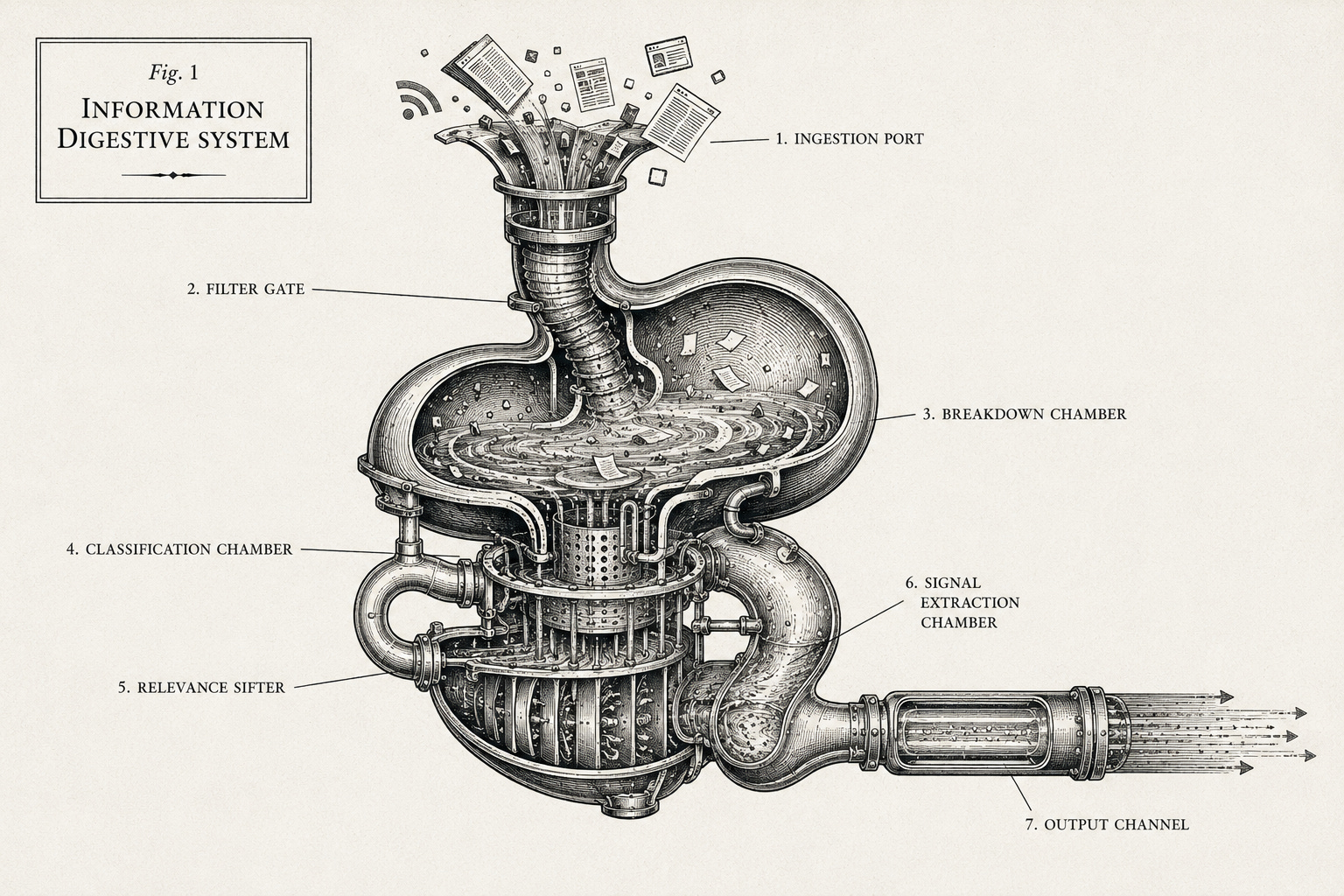
Let’s face it: We all have to read too much. Every journalist I know runs a news-monitoring system in their head — what to read, what to skim, what to ignore, who to trust on which beat and why; among the things we do best is source and sift information, tracking and judging what is newsworthy.
But much of what we read, or have to read, isn’t worth reading. How can we offload that part — externalize our news-sifting process — so we can focus on what matters? We’ve written previously about delegating the gathering and presenting of information by making a newsletter of newsletters. Today, we’re taking that a step further, and — along the lines of Gina’s deconstruction bot — deconstructing and methodologizing (that’s a word, right?) our news judgement process.
That newsletters post got a lot of good feedback, including from the Innovation Club here at CUNY’s Newmark J-School, which requested training on how to make their own newsletter digests — not just for their inbox, but from across the web. So I set out to figure out how to lead them through designing a news digest.
What we ended up with was a chatbot (another one, I know) that guides the user through describing why they are looking to keep track of a topic — say, for beat reporting — customizing a list of categories, building a relevancy scale, and selecting a set of news outlets to prioritize. At the end they get a “blueprint” file that, when loaded into Make.com, creates an automated workflow, complete with customized prompts. All they have to do is connect a few accounts to get a weekly email digest (like this example) to land in their inbox.
The Innovation Club loved it. In our short session, they built digests on immigration in New York City, daycare and private equity, women in entertainment, innovation and technology in the Arctic, and more.
But the exciting part was how they started customizing their digests after the first ones hit their inbox — some refined the search terms, others restructured their categories, most added color and other formatting to spruce up the email. Once they had the workflow, it was easy for them to use an AI assistant (your standard ChatGPT or other chatbot) to figure out what to improve to get the outcome they wanted: sharing screenshots and the files they downloaded from the digest designer, and asking for guidance on what to adjust within the workflow. They’ve continued building out personal news digests since.
And now our digest designer is public, so you can try it yourself.
Spend five minutes with our chatbot articulating what’s worth your attention: what categories will help you comprehensively track the topic of your choice, how their relevance should be evaluated and what your source priorities are. Then a few more minutes following the setup guide it gives you to wire up your Make.com workflow (it connects to two AI services and a Google account). At the end you’ll have a daily or weekly news digest that costs around 10 cents a run.
Judgement
The chatbot’s job here isn’t to write the digest: it’s to walk you through articulating judgement decisions about newsworthiness and then to bake them into a workflow. In effect, we’ve embedded the process of thinking about building a bot into a bot, in much the same way that we embedded the process of asking questions about journalism and AI into a survey bot.
To be sure, it’s not the most efficient way to do a news digest in our rapidly evolving AI age. But we’ve found it is an excellent way to learn to create an AI-powered automation process and customize AI’s role within it. For one thing, there is no technical knowledge required. Using a Make.com workflow allows you to see the various steps that have to happen to automate combining information gathering with that judgement methodology, and tweaking it helps you see the ways you can adjust the outcome. And once you start doing that, you’ll be experimenting with how AI can help you troubleshoot and customize AI.
The first digest you get likely won’t be exactly what you want. But it will be a strong starting point. And you will know what is off, and we’re confident you’ll be able to articulate that to an AI assistant to get it to help problem-solve how to tweak the workflow to improve it (there’s advice on this in the setup guide). The Newmark students got very into that part, even more than the digest designing itself, and have continued exploring automation workflows to help them sift and filter information since. But hey, they’re a smart bunch.
Months ago, I built three Make.com news digests to monitor news around AI and journalism for the Tow-Knight Center: one for newsletters in our inbox, another for RSS feeds from news sites and Substacks we follow, and a third for searching the web more broadly. Today I plugged the same coverage goals from our web-search digest into the digest design bot, and ended up with better categories and relevance scoring than the original version. So it looks like I’ve got some updating to do.
There are certainly more robust AI-powered news monitoring systems than the one we’re walking you through here (here are a couple I’ve been playing around with). But however you do it, it’s worth doing. We’re all drowning in content and could use help pulling signal from noise. And that need is only increasing. To borrow from our friend Shuwei Fang: in an age of overabundant information, when the cost of putting more content out has essentially cratered, the attention economy is giving way to an intention economy.
This digest designer is one way to experiment with that intention principle: by building something to do news sifting and judgement on your behalf, you’re spelling out what information is worth your attention. So give it a try — have the chat, connect the workflow, and customize it further. Then tell us what you think. You can reach us at towknightcenter@journalism.cuny.edu.